
Skip to content

Type 1 diabetes, on every screen

From distraction to ally.

Make your iPhone and Apple Watch a tool for diabetes — not a distraction from it.

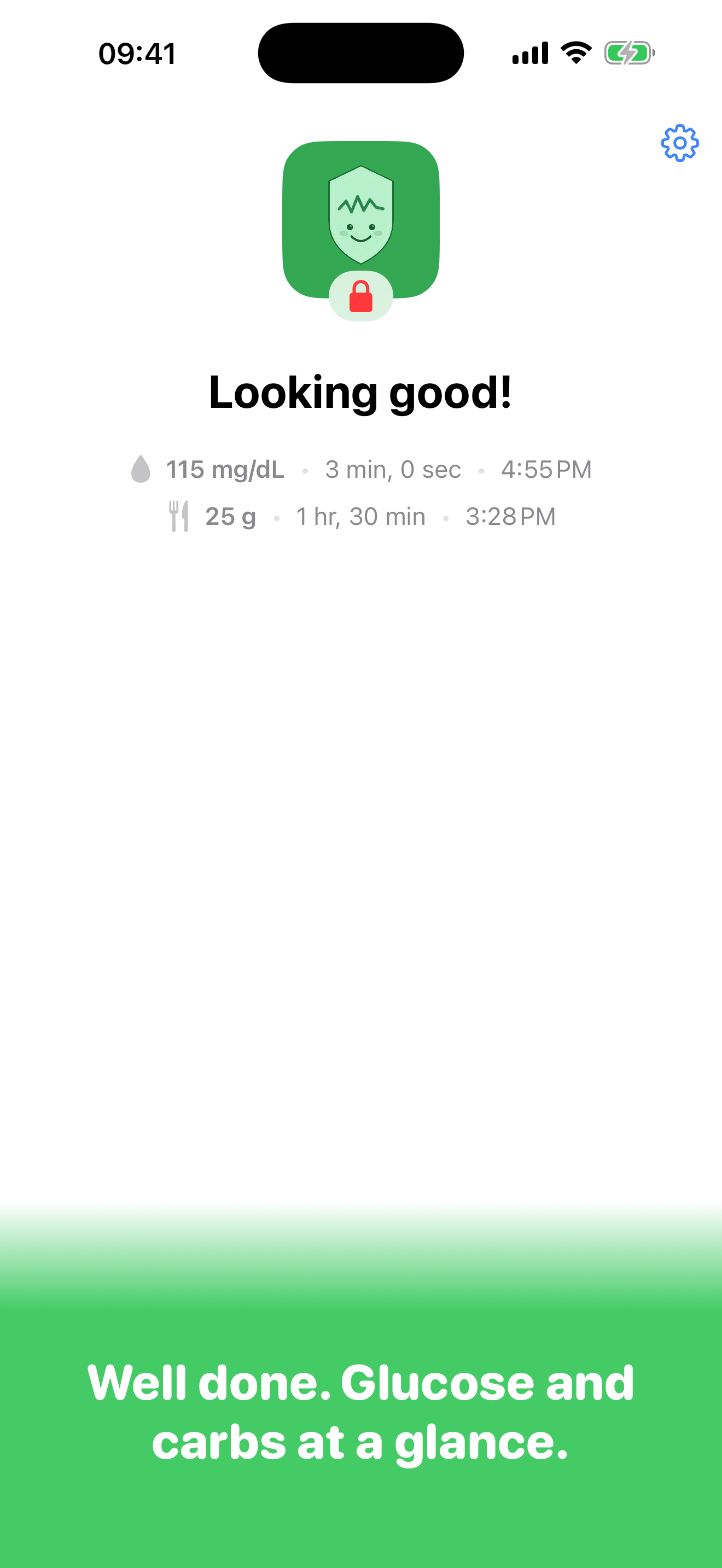
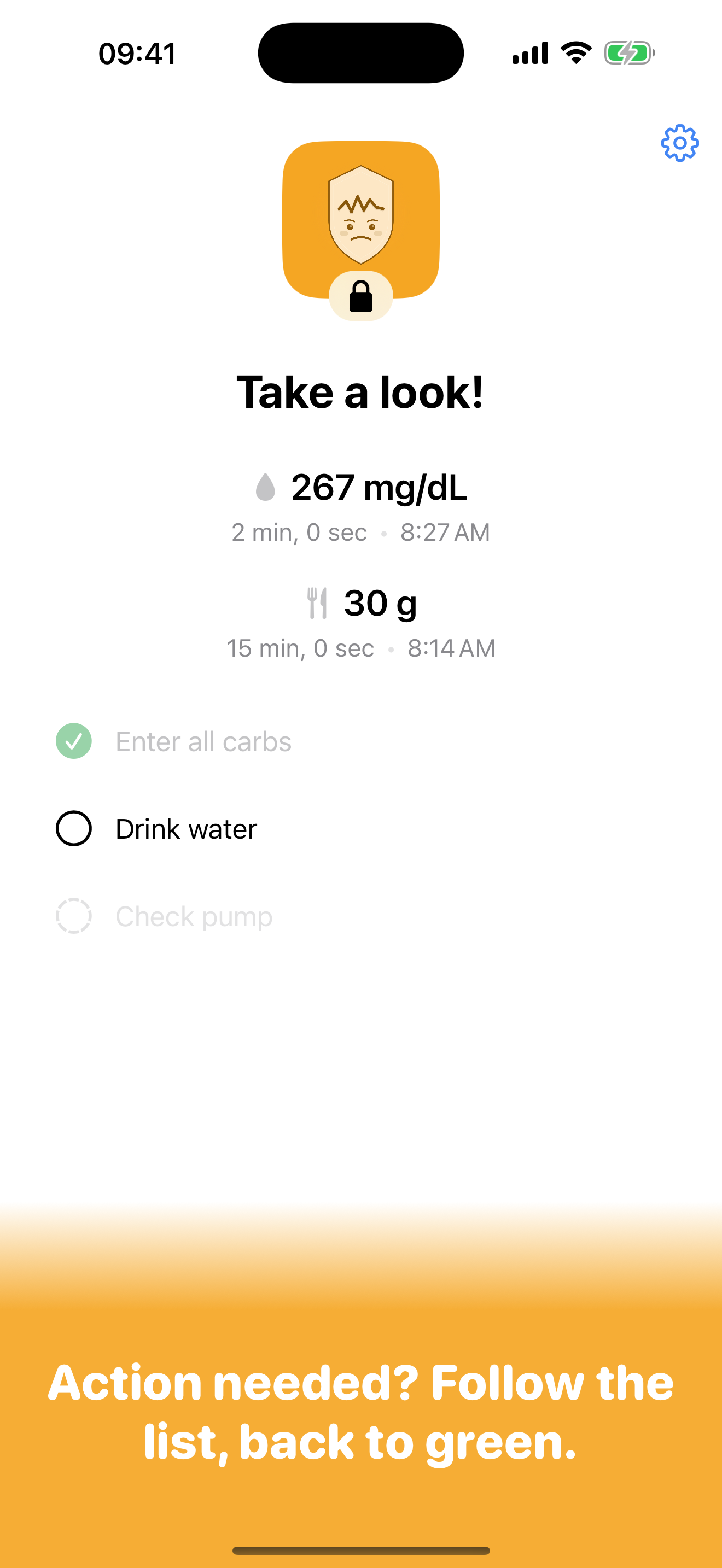
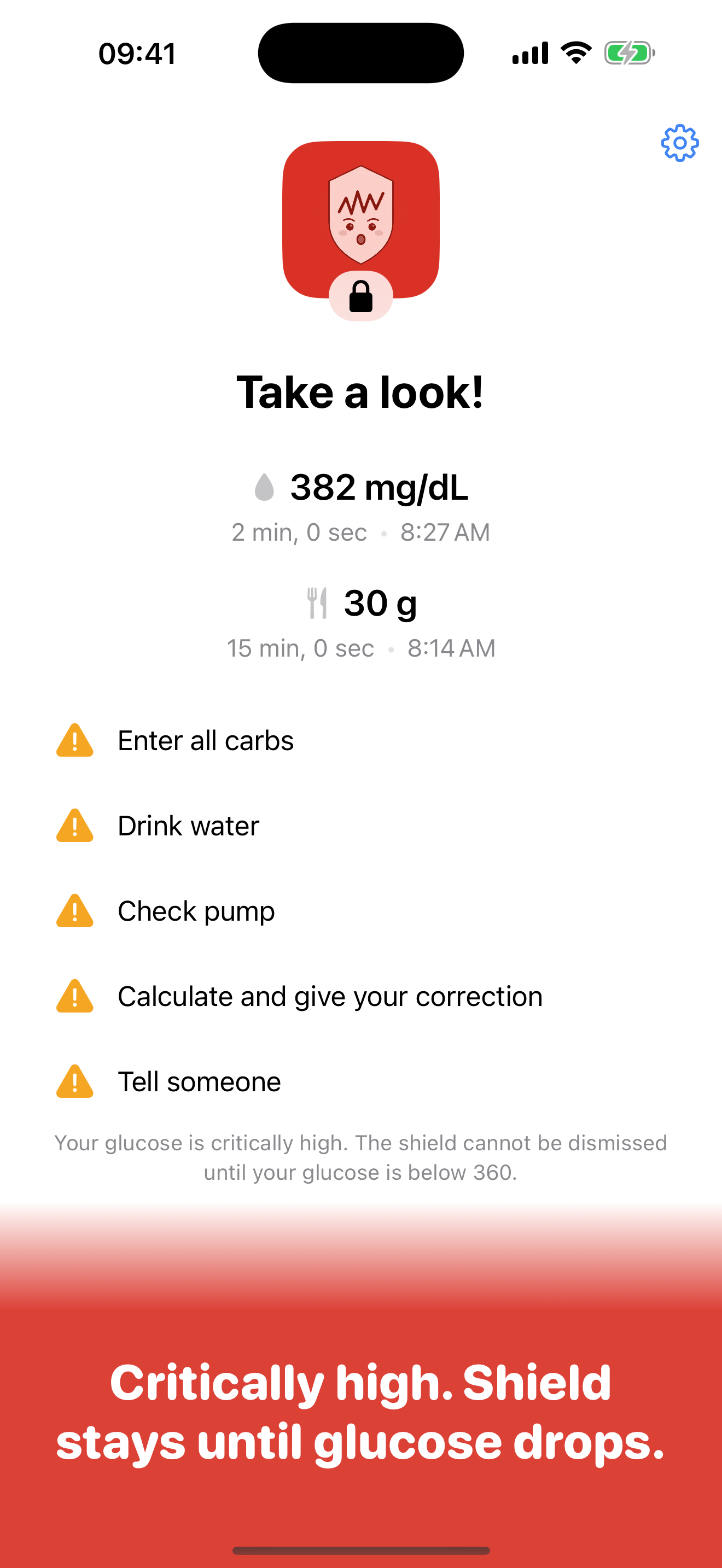
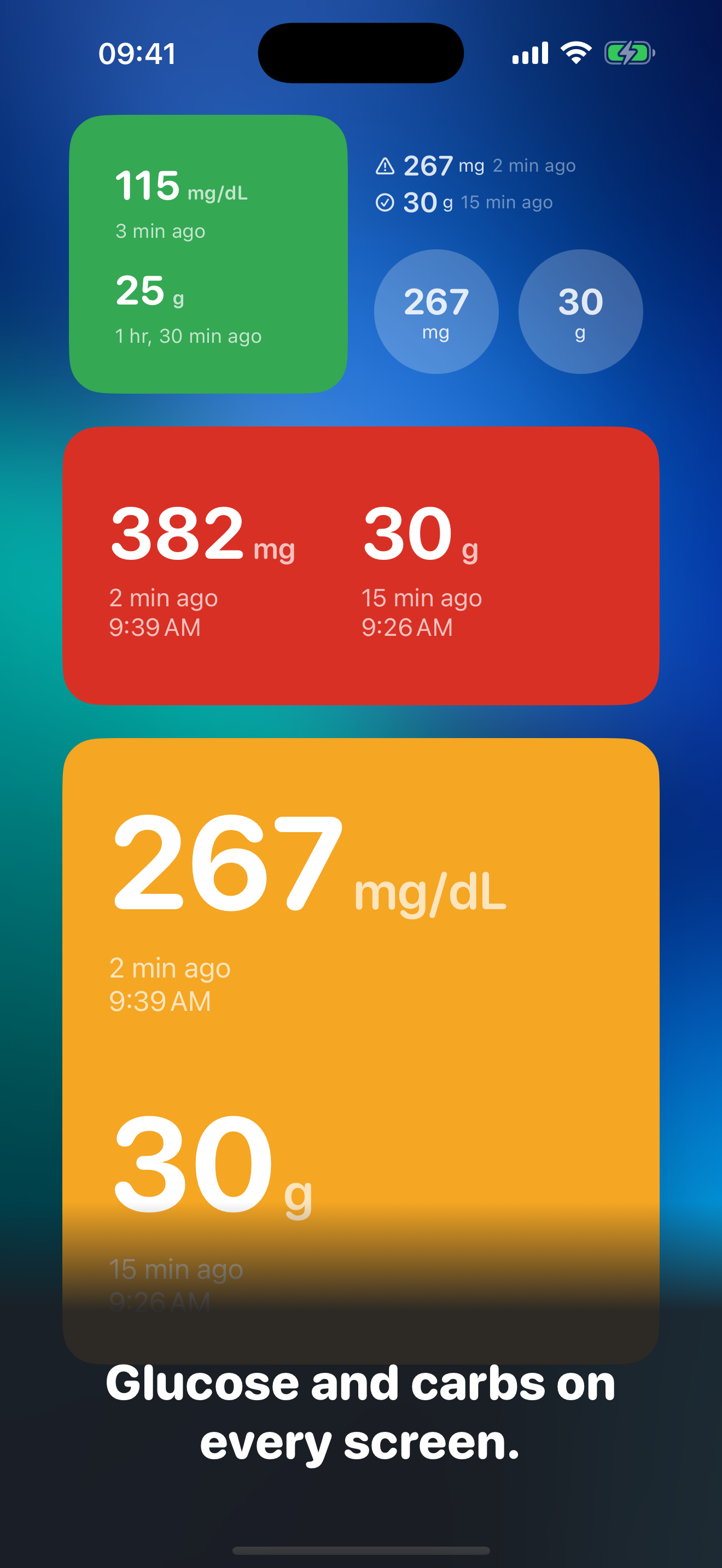
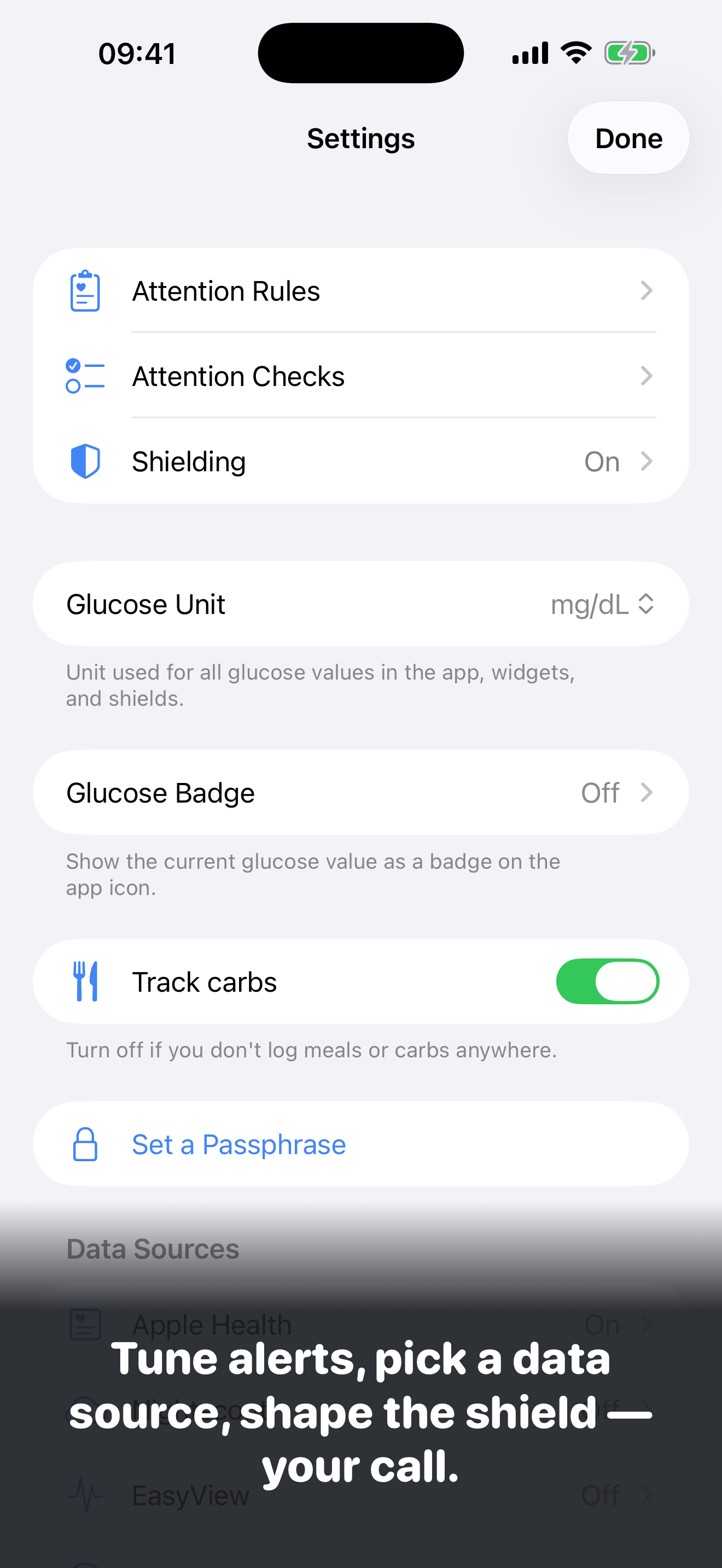
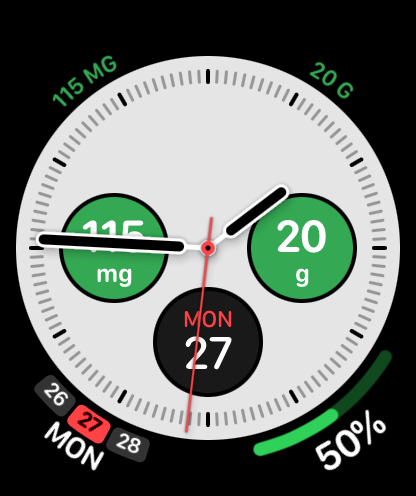
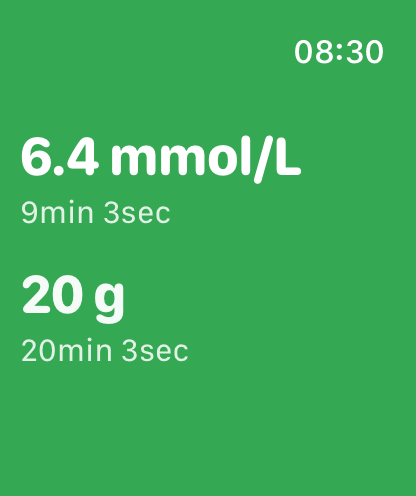
Glucose and carbs everywhere — Home Screen, Lock Screen, StandBy, every Apple Watch face. Turn carb features off in settings if you don't track carbs. Green when things look good, orange when something needs your attention, red when a critical high locks the shield until glucose drops. Other apps stay blocked until you've done the diabetes thing.

GluWink does three things, and nothing more.

  1. Glucose and carbs visible everywhere.

    Widgets in every size for Home Screen, Lock Screen, and StandBy. Complications on every Apple Watch face. An optional glucose number on the app icon badge. Turn carb features off in settings if you don't track carbs.

  2. Clear status at a glance.

    A green face means everything looks good. Orange means something needs attention — glucose is high or low, the sensor is stale, or (when carb tracking is on) carbs were never entered for that meal. Red is reserved for a critical high: the shield cannot be dismissed until glucose drops back down. Same simple language across the app, widgets, and watch.

  3. Optional app blocking — your call.

    Block other apps at configurable intervals — always, or only when something needs your attention. While blocking is on and the face is orange, GluWink locks other apps until you check in. If the face goes red, the check-in is off the table entirely until glucose comes back down. Otherwise, your phone is just your phone.

Built for two audiences.

For parents

Children with Type 1, on a Family-Sharing iPhone.

  • Set GluWink up once on the child's iPhone via Family Sharing.
  • Pick which apps stay free to use (the CGM app, school apps, phone, messages).
  • A passphrase only the parent knows protects the settings.
  • The child cannot delete the app or skip the check-in.
  • Glance at the home-screen badge or a widget to see how things are going.

For adults

Self-managing your own Type 1, on your own iPhone.

  • Authorize GluWink for yourself — no Family Sharing required.
  • Have a partner, spouse, or friend set the passphrase. The friction is the point.
  • You can always uninstall — GluWink is honest about that. It nudges, it doesn't imprison.

Where the data comes from.

GluWink reads what's already on your phone. No GluWink account to create. Pick whichever source fits.

Apple Health

Most CGM apps (Dexcom, Libre, CamAPS, xDrip, Loop, iAPS, and others) already write glucose and carbs to Apple Health. If yours does, GluWink is a one-tap connection.

Nightscout

Connect your own Nightscout site — handy when a parent monitors a child remotely, or when your diabetes system writes to Nightscout but not Apple Health.

Medtrum's EasyView

On a Medtrum pump or CGM? Connect Medtrum's EasyView cloud directly — it works for patients and for caregivers following a patient.

LibreLinkUp

Using FreeStyle Libre with LibreLinkUp? Connect your follower account — GluWink fetches glucose direct from Abbott's cloud. Any source can be on at once; the most recent reading wins.

Demo mode

Want to try the app first? Demo mode shows realistic glucose and carb data without any sensor.

Your data stays on your device (HealthKit), on the Nightscout site you control, or on the LibreLinkUp or EasyView service you connect. No accounts we run, no servers we run, no analytics, no ads.

Not a medical device.

GluWink does not replace your CGM, your pump, your endocrinologist, or your judgment. It does not make treatment decisions. It surfaces information that's already on the phone and asks one question: did you do the diabetes thing yet?

Open source.

GluWink is open source under the PolyForm Noncommercial License. You can read the code, build it for your own devices, share builds with private testers, and contribute back.

View on GitHub